

The holiday season is here, and the excitement of gift shopping and decorating has taken center stage. Yet most of us are looking for something more than new presents and festive rooms. We’re looking for time spent together with the people who matter to us most. As much fun as it is to witness the excitement created by new presents, it’s the shared experiences that we remember for a lifetime.
Odds are, there’s a person on your shopping list who could use a new PC this year. Maybe they need an upgrade to support their efforts in school, to break down the obstacles between them and their creative ambitions, or to boost their competitive edge in gaming. Whatever their reason, you could get them rolling with a new laptop or prebuilt computer. But you also have the opportunity to do something truly special: you could build a custom PC with them instead.
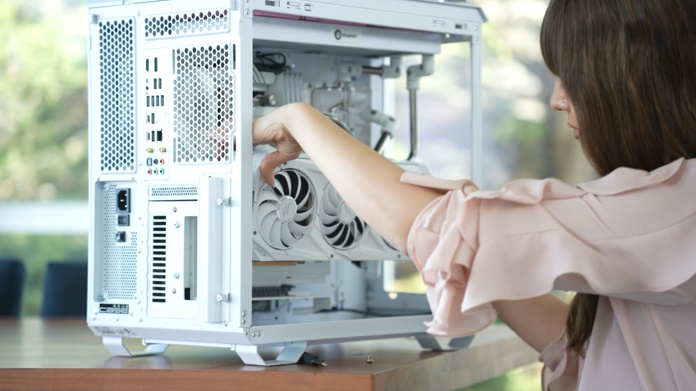
Beyond the powerful machine that they’ll enjoy when you’re done building, the experience offers a chance for you to share your skills, bond with them over a collaborative project, and create memories that will last a lifetime. Here’s why this could be the most rewarding activity you take on this holiday season — and how ASUS products can help you craft the ultimate build.
Passing along skills that will last a lifetime
Learning to build a PC of course involves hands-on instruction about assembling hardware. But there’s more. It’s also an lesson in problem-solving, technology, and creativity that teaches invaluable skills for the modern world.

The step-by-step knowledge is just the start. Certainly, it’s important: at some point in their lives, every PC builder has had someone walk them through the basics of installing components, establishing an effective cooling system, connecting it all together, and selecting the right optimizations in BIOS.
After learning these skills, your loved one will be set up to save money down the road. They’ll know how to keep an existing PC running for longer with a targeted upgrade, they’ll be better able to avoid trips to a PC repair shop, and they’ll be armed with the knowledge they need when it comes time to start fresh with a new build.
Building a PC also teaches important life skills. From understanding compatibility between parts to troubleshooting during the build process, each step sharpens analytical skills. It helps people develop a broader knowledge of technology trends, as learning about the latest CPUs, GPUs, motherboards, and storage options gives insight into the tech shaping our world. Assembling a PC hones attention to detail and offers the satisfaction of creating something functional and beautiful.
Passing on these skills will empower your loved one with knowledge that they’ll carry into the future. That’ll easily pay dividends down the road for their hobbies, career, and creative pursuits.
Bonding over a shared project
The modern world often pulls us in different directions, making it challenging to find quality time to connect. Building a PC together creates a shared mission that encourages teamwork, communication, and laughter.
With the right mindset, the process can be incredibly rewarding. As you work through challenges like figuring out the best way to route cables and the optimal configuration for the case fans, you’ll feel a rewarding sense of accomplishment. You’ll experience the excitement of celebrating milestones together, like the all-important moment when you first hit the power button. Long after the PC is completed, you’ll cherish the memories of those moments.
Tips and tricks for a successful shared build
As you’re getting ready to build a PC with a loved one, it’s worth taking a moment to get yourself into the right mindset. While your friend or family member has a lot to gain from the experience, you should know that coaxing them into this PC building project with you might take a little effort. Keeping them involved throughout the process will take some patience. And making sure that they leave the experience with a sense of ownership over their new PC will involve giving them the reins at key moments.

Here are some tips and tricks to keep in mind:
- Bring them into the planning process. Don’t just show up on Christmas morning with a stack of components and expect them to drop everything and build a PC with you. Plan it. Schedule it. Make it a conversation.
- Get inspired together. Part of the fun of PC building is the opportunity to dream about possibilities. Watch some YouTube builds together. Browse out the latest posts on a PC building forum. Check out the latest hardware trends together, and see what concepts get them excited.
- Give them opportunities to make this PC their own. As the more experienced PC builder, you’ll have invaluable guidance to offer about component selection. But your loved one should have final say about certain parts of the process — especially as it relates to aesthetics. Help them discover their options, but leave room for them to make decisions.
- Keep them involved. At times, you’ll be tempted to take over during the build process. But as much as possible, you should let your loved one do the physical work of putting the PC together. Don’t let them clamp down an improperly aligned CPU, of course. But try to keep the screwdriver in their hands, not yours.
- Plan for an entire PC setup. As you’re planning this build, think about the full setup. When your loved one sits down with their new PC, their desk, monitor, peripherals, and headset will all play a key role in the experience. This project will have much more of an impact if you’ve planned for a complete package from the start.
Find inspiration through ASUS PC DIY day
On December 6th, 2025, we’re running a special event to celebrate all things PC building — and it might be the perfect moment to get your friend or family member excited about the process.

For ASUS PC DIY Day 2025, we’re hosting a free in-person event at the Newegg Campus in Diamond Bar, California. The day is jam-packed with activities, including giveaways, PC building panels, influencer meet and greets, a free-to-play LAN area, and a motherboard stacking challenge. We’re even giving away an AMD CPU to the first ten attendees who RSVP and show up to check in at the event.
To learn more about this event and register to attend, click here.
Get connected with the ASUS PC DIY community
As you’re planning out a PC build with a friend or family member, you might find it useful to chat with other builders, check out their current projects, and have a place to post any questions that you might have about the process. For you, the ASUS PC DIY Community might be the perfect place to find the conversation you need.
This community gives you a friendly, supportive place to talk about everything related to the process of building a PC. Behind-the-scenes posts from master builders, conversations with other PC enthusiasts, a place to ask questions to a knowledgeable community, news about the latest ASUS hardware — you’ll find it all here and more.
Even more resources for getting started
Here on Edge Up, we post a wide range of resources for helping PC builders stay updated with the latest hardware news, find the right gear, and optimize their completed setups. If you’d like quick email notifications when we share new content, use the “Subscribe” tool in the upper-right-hand corner of this page.

Here are a few recent articles that you might find helpful as you’re planning out different aspects of your build:
- 2025 NVIDIA graphics card guide: The latest GeForce RTX 50 Series graphics card lineup includes a stunning array of options. This family offers bleeding-edge units that cater to professionals and hardcore gamers, mainstream cards that serve up incredible experiences at the most popular resolutions, and budget-friendly that make sure that everyone can get in the game. This guide helps you find the best option for the setup you’re building with a loved one.
- ASUS AM5 motherboard guide: Right now, AMD CPUs are an incredibly popular choice for gaming builds. This article breaks down the best options from ROG and TUF Gaming at every price point.
- Straight talk about VRAM: One of the biggest talking points of 2025 in the PC gaming world has focused on graphics card VRAM. Here’s how to make sure that you’re getting enough VRAM for the games that your loved one plays the most.
- ROG monitor guide 2025: As you’re building out your loved one’s new PC setup, don’t neglect the monitor. The 2025 ROG monitor lineup includes everything from affordable yet feature-rich LCD monitors to premium OLED displays. This guide will help you make the right decision as you’re picking between your options.
- The best gaming routers in 2025 from ASUS and ROG: Rock-solid networking elevates every part of your gaming world. From downloading new games to competing online, from streaming your latest exploits to diving into an online co-op adventure, your gaming router is an invaluable member of your squad. If your loved one is overdue for an upgrade, check out these WiFI 7 routers from ASUS and ROG.
- Tips and tricks for picking PC components that work together well: Balance is important for building a PC. When you plan ahead for how your PC components work together, you can avoid common build problems like performance bottlenecks, ensure that you’re not overspending on any single component, and get the overall experience that you’re looking for with your new PC.