

AI doesn’t need a data center. Many people get what they need from AI using only their home computer. And that makes these local AI enthusiasts look a lot like the early adopters who built some of the first home PCs. Those pioneers staked out an ownership claim for themselves by purchasing their own hardware, learning new skills, and exploring new opportunities.
All that’s happening again today with the agent computer. Increasingly advanced open-weight models make it more possible than ever to drop the subscriptions without losing the capability. You can take PC hardware that you own and use it to run a private and powerful local model that you control.
No subscriptions. No hidden costs. No token limits. Just the familiar, versatile PC ecosystem amplified by agents.
What can an agent computer do?
One example that’s quick and easy to implement: some people use an agent computer for instant, personalized briefings ahead of meetings. The agent computer aggregates documents, emails, and past notes related to an upcoming calendar invite and pulls it all together into a concise brief. None of that data gets uploaded to a cloud server somewhere.
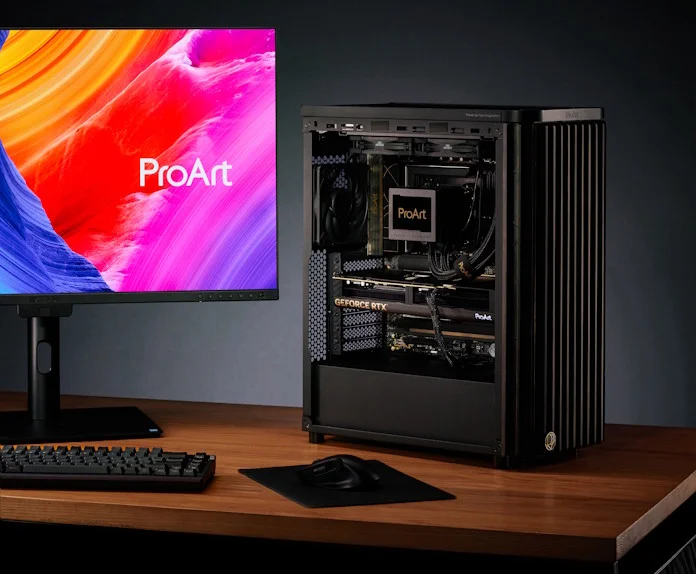
And that’s just one use case. Agent computers can act as a force multiplier for basically anything people already use their PCs for. Need your smart home to be smarter? Bolster its capabilities through context-aware security camera filtering, predictive energy automation, real-time HVAC balancing, localized voice control that operates without an internet connection, and custom sensor triggers tailored to your exact daily routine.
Need some financial insight? Give your agent computer some bank statements and let it generate an actionable expense audit. Does the public-facing email account for your small business get flooded with too much solicitation? An agent computer can keep your inbox filtered, alerting you to new business inquiries immediately while sorting the rest. Juggling a chaotic folder of messy receipts or invoices? Your agent can automatically rename, categorize, and file every PDF into the correct project folder on your local drive.
A closer look: agent computers and software developers
When some folks hear about AI and software development, all they hear is “vibe coding.” And for good reason: some folks rely on AI for the entire journey from idea to operable code, and their efforts routinely make the news.
But that approach has hard limitations for anyone who wants to turn the corner from “hey, it works” to a product that’s reliable, secure, and optimized sufficiently for sharing with the world, let alone shipping to paying customers. Check in on how veteran coders make use of AI, and you’ll see much more sophisticated strategies for putting the new tech to work.
Savvy developers deploy agent computers as unified command centers for codebase research, automated debugging, and architectural organization. Equipped with high-VRAM capacity and massive memory bandwidth, these local systems run sophisticated open-weights coding models that index entire multi-gigabyte repositories locally. And that’s not even touching what an agent computer can do for engineering teams. There, these systems continuously parse performance logs, generate comprehensive unit test suites, and execute sandboxed code verification loops without network latency penalties or data exposure risks.
You might even say that the agent computer only exists because of these software developers. They saw a match between the capabilities of the new software and the hardware they had at home, and they designed apps to make it easy to get things up and running. Now, the rest of us can benefit, too.
Why now?
Perhaps you’re wondering why agent computers are having a moment right now. After all, much of the public discussion about AI focuses on the versions that live in data centers.
Honestly, the limitations of data centers are a big reason why people are looking for alternatives. A data center requires a big plot of land. An agent computer could be small enough to mount on the back of a monitor. Data centers pull enough electricity that they require careful coordination with local governments and utilities. An agent computer can have the same wattage as a gaming PC, even less if it’s a mini PC. Using data center resources requires you to send data outside your network to the cloud. An agent computer lets you keep everything local and private.
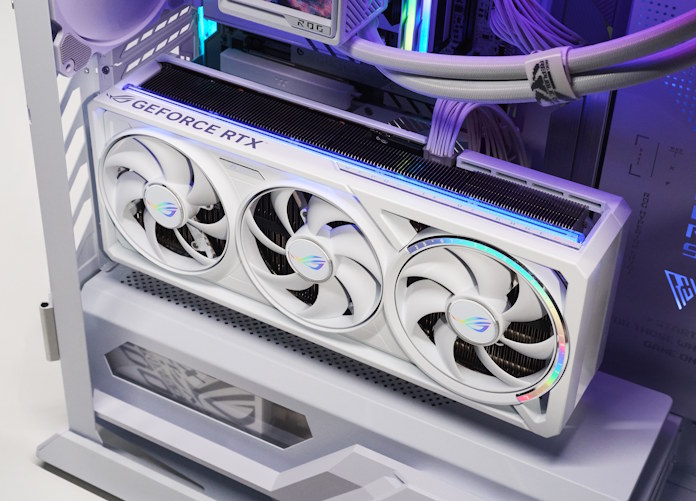
But more than that, the capabilities of agent computers have simply taken off in 2026. There’s still a delta between the capabilities of data center-based AI and agent computers. After all, one runs on thousands of graphics cards working in tandem on rack servers, and the other might involve upwards of four graphics cards, usually one. But many people are finding that an agent computer offers more than enough capability for the things they actually ask AI to do.
Open weight models are getting more advanced by the day, and they’re only a free download away. Unless you absolutely need the advanced capabilities of cloud-based AI, it’s worth your time to do some cost-benefit analysis. Owning your own hardware for AI might be much cheaper in the long run than paying for a monthly subscription, which now ranges up to $500 a month. That’s $6,000 over the course of a year. Even during the current memory crunch, you could pick up some very potent PC hardware for that kind of outlay, and when the year is up, you’ll still own that PC.
Easier setup, easier pathway to results
Another factor is the ease of use. Cloud-based AI surged in popularity a couple years ago in no small part because all you had to do was type a question on a webpage or download an app. Agent computers are catching up rapidly on this front.
To get rolling with local inference, all you need is standard LM Studio or Ollama. Both provide a quick on-ramp to having a locally-run AI model that you can talk to and assign tasks under your supervision, using your local files as a reference. Upgrading from there to agentic AI just requires a harness. LM Studio Bionic gives you an interactive desktop partner cable of crushing immediate, multi-step projects within strict, controllable guardrails while you supervise.
Perhaps you’re looking to leverage 24/7 autonomous background automation. That’s possible, too. Versatile frameworks like Hermes Agent and OpenClaw help you get this system rolling. If you’re not comfortable setting up OpenClaw or Hermes on your own, try the ASUS EZ Installer for OpenClaw. Designed specifically for the ASUS mini PC and NUC lineup, this installer eliminates the manual complexity of getting OpenClaw up and running.
Once you have your agent computer up and running, you’ll find that it’s incredibly easy to use. Coding knowledge is helpful but not required. Most interactions with your agent computer come in the form of natural language conversations, not commands typed in a terminal. Prefer to just talk out loud to your agent computer? That’s possible, too.
Your current PC might be powerful enough to get started
For all that’s new about agent computers, they’re built on the familiar, flexible foundation of the home PC. If you built a PC in the last few years, you might already have the hardware that you need to try out local AI.
We dive deep into the question of what hardware specs matter most for an agent computer in another post. Here, we’ll focus on the big picture. For fast, responsive interactions with an agent computer running a reasonably-sized model, you’ll either need a PC equipped with lots of fast system memory or a PC running a graphics card with sufficient VRAM.

If you’re a PC gamer, odds are pretty good that you already own a machine that meets that second requirement. Got a mainstream 8GB graphics card? You’ll find some lightweight models in the 7B-to-9B parameter tier that will fit into 8GB VRAM with a reasonable context window, provided that you run the models at 4-bit quantization (Q4_K_M). If you’re running a 16GB graphics card, you’ll have many more models to pick from. Make sure that your system has sufficient system memory to keep the bus transfer step running smoothly while leaving overhead for the operating system and your other apps, and your agent computer is ready to roll.
And you might only be an upgrade or two away from some truly advanced configurations. New graphics card options make upgrading to 32GB of VRAM more accessible than ever. Motherboards like the ProArt B850-Creator WiFi Neo support dual PCIe 5.0 slots in an x8/x8 split, letting you pair two graphics cards to double your VRAM pool for large-parameter models.
Analyze the ROI, and you might be surprised
If there’s anything that’s holding more people back from getting started with an agent computer, it’s the current price of PC hardware. Key components cost more than they used to, even just compared to a year ago. If your computer doesn’t quite have the horsepower to load a model with the capabilities that you need, or if you need to build or buy an entirely new agent computer, you’ll have to weigh the expenses of acquiring new PC hardware.
But there’s another side to the equation, and that’s what you stand to gain from your agent computer. A PC used for entertainment is an expense. A PC used for productivity is an investment. Your agent computer might well pay for itself as it saves you time, boosts your productivity, and lets you eliminate some subscriptions.

Standard $20 monthly AI subscriptions work well for basic conversational prompts, but heavy workflows quickly hit strict rate limits or stack up costly API token overages. For power users and small teams relying on advanced models, cloud subscriptions and API fees can easily exceed $200 to $500 a month. At that rate, a $2,000 local agent computer pays for itself in less than a year while delivering uncapped local performance.
There’s also the value of your time. When a local system saves a developer or researcher just two or three hours a week on automated debugging, test generation, or document processing, the machine can pay for itself in mere months on billable time alone.
The costs of maintaining your data privacy obligations might factor in, as well. For organizations or individuals handling proprietary code, client data, or regulated IP, sending data to a cloud provider introduces compliance risks or security review costs that make a $2,000 local machine the cheaper option by default.
All that means that an agent computer has the potential to revolutionize productivity just as much as the very first home PCs did, if not more. Then and now, the hardware requires some investment. But there are very attainable returns on the table. It all depends on how you put your agent computer to work.
Ownership means control
Even aside from the cost considerations, we think there’s a powerful argument to be made for agent computers over cloud-based AI solutions. And it has everything to do with control.
At the end of the day, cloud-based AI can only ever be something that you rent. Somebody else makes the decisions about how it runs and how you can access it. The conversational partner you enjoy talking to today might get replaced by a different voice tomorrow. A revamped subscription tier might push your level of usage into a more expensive plan, or a quiet server outage can leave your entire workflow locked behind a loading spinner.

Renting isn’t always a bad thing. Somebody else handles the up-front costs, and you get to access the benefits for a monthly rate, not a lump sum. Renting your AI lets you do some pretty incredible things. But when you own the hardware that runs your AI, you treat it differently. You’re less hesitant to try new things. You’re more willing to let your whole family have access. You can set up a completely air-walled system so that you can let the AI take a look at private data like financial records and business documents without worrying about that data even touching the internet.
Why ASUS is your first choice for agent computers
Trust is built one step at a time. Since 1989, ASUS has earned the trust of PC builders and users component by component, system by system, as people rely on our hardware for gaming, productivity, professional content creation, and more.
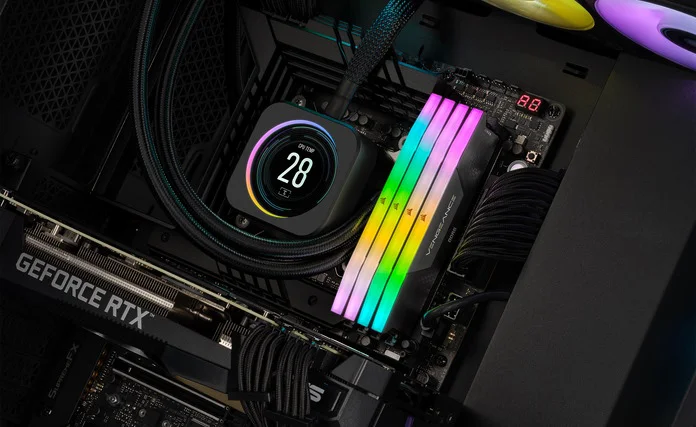
For agent computers specifically, we’ve put in significant work to make sure that PC builders can get the most out of the memory kits available to them. System memory plays a key role in agent computers, even those with sufficient dedicated VRAM. With the current memory shortage pushing builders toward non-standard memory configurations, we offer BIOS updates and tools that offer better compatibility and performance. Features that optimize for performance, even if an XMP or EXPO profile isn’t available. Tools that help you find the most stable memory hyperparameters, not just in general, but for the unique variances of your specific CPU, DIMMs, and memory controller.
We also recognize the unique challenges of operating an agent computer. Other PC workflows like gaming tend to tax components in quick bursts. An always-on agent computer tasks its components with sustained workflows. Our graphics cards rise to the occasion through an impeccable, automated manufacturing process, cooling-first designs, and heavy-duty power delivery.

And that’s just what we offer to PC builders. We’re one of the only companies in the world offering agent computers in basically every form factor. We have portable USB devices that bring local inference power to connected devices. Windows 11 mini PCs. AI supercomputers built on the NVIDIA DGX OS. Potent laptops built for incredible local agent computer performance. For teams who need next-level local AI capabilities, our workstations stand ready. And yes, we do full-rack solutions, too.
Try before you buy
One benefit you have today that the early home PC pioneers didn’t: it’s much easier for you to try before you buy. Fire up your current desktop PC or laptop and see what’s possible. You might run up against hardware limitations of your current rig pretty quickly. But even a mid-range PC from two or three years ago is enough to get started with a smaller model. And once you see what an agent computer is capable of, you’ll have a better idea about what kind of investment makes sense for you.
An agent computer ensures you never have to rent your intelligence. You own it. You own the hardware, control the data, and set the parameters. If you’re ready to learn more about the possibilities and find the hardware that’ll help you accomplish your goals, head over to our agent computer landing page for more information.
