

Boiled down to the essentials, home computers operate on a basic input/output setup. They only give you an output when you give them the proper input. Computers have gotten a lot more user-friendly since the days when every interaction happened via command line, but most of us live in a world where getting more advanced outputs from our PCs involves learning how to create more advanced inputs. That means we’re all capable of doing incredible things with our computers, but we’re always limited by the expertise of the person at the keyboard.
Today, that’s changing through a new paradigm: the agent computer. Rather than waiting for you to do the work yourself, an agent computer works on your behalf. You can give it goals rather than instructions, concepts instead of code, priorities not programming, and it’ll work out the steps. Agent computers give you a way to turn simple, natural-language conversations with your PC into real results.

Here, we’ll answer some of your basic questions about agent computers: what they are, what they can do, and how to get started.
What is an agent computer?
A regular PC waits for input. You open an app, you type a command, you get a result, and you move on to the next thing. That’s not a bad arrangement by any means, but it does mean that the capabilities of your machine are always capped by your ability to give it correct commands.

An agent computer listens to you and accomplishes tasks using a completely different workflow. Instead of robotically following a list of steps that you provide, it analyzes each goal that you give it and figures out the steps that it would need to take to accomplish them. If it can do those things, it digs in, and then reports back. If it needs more information or if it can’t do what you’re asking it to do, it doesn’t throw back an inscrutable error code. It talks to you, and the two of you figure out the next step together.
The software that accomplishes all these things is called an agent, and the PC that it runs on is called an agent computer.
The difference between a standard computer and an agent computer is less about what the PC can do in a burst, and more about what it can keep doing. Agents run multi-step work over long stretches, often while you’re not at the desk. They can maintain a complex schedule of tasks that trigger autonomously and intelligently. Broadly speaking, agent computers use the same hardware components as regular computers, but with some differences in priorities. Most PCs are built to be sprinters that get you from input to output as quickly as possible. Agent computers are marathon runners that work tirelessly toward a goal, so they’re designed for efficient operation across sustained workloads, with enough memory to support the complexity of the tasks at hand.
How is it different from a regular PC?
A regular PC is a tool. An agent computer is a worker. The two can run on similar hardware, but your day-to-day experience with the two is very different. With a regular PC, every task is something you start. With an agent computer, a lot of tasks are something you assign, and the machine does them, sometimes overnight, sometimes in parallel, sometimes for days at a stretch.
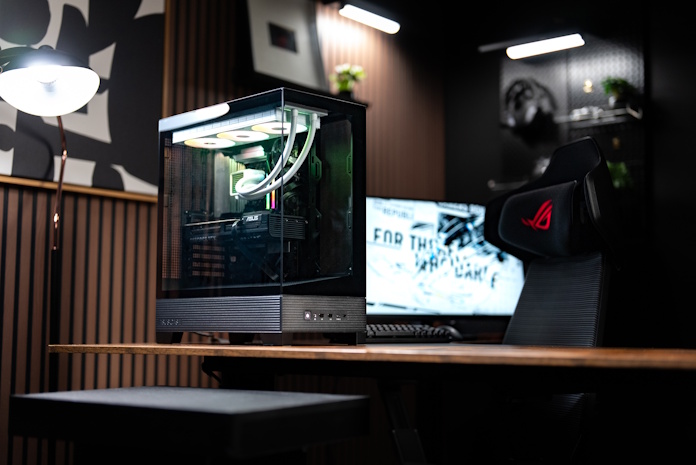
That fundamentally changes the way that you interact with your PC. Rather than a thing you operate, it becomes a thing that you delegate work to.
What can an agent computer actually do?
For many people, an agent computer exists first and foremost to do boring things. It handles the tedious, time-consuming, repetitive work that would otherwise clog up their schedule, freeing them to focus their time and energy on the concerns that actually require their expertise.
An agent computer can:
- Answer questions against your own files. Point it at a folder of documents and ask it things, with nothing leaving your machine.
- Run recurring work. Summarize a pile of reports every morning. Check a list of conditions overnight. Flag the exceptions.
- Help with code. Run local models that read your codebase, suggest changes, and test against your setup.
- Handle multi-step tasks. Research, draft, review, repeat, until the thing is done, then tell you.
None of this is magic, and none of it needs the cloud. The work requires a capable model, resident on your machine, doing the grunt work that would otherwise stay on your plate.
But that’s just the start of what an agent computer can do. Given sufficient hardware capacity, owning an agent computer is like having an entire team of experts at your command. Entrepreneurs use agent computers to help them bridge the gap between an idea and a functioning business. Designers use agent computers for quick prototyping and iteration before settling on a final direction. Researchers use agent computers to continually analyze vast datasets.
What’s the difference between a local agent and a cloud one?
A cloud agent runs in someone else’s data center. Your prompts go there, your documents go there, and the work happens there. A local agent runs on your hardware, with your data, under your roof.

The practical differences: a local agent requires you to own and set up some relatively advanced PC hardware, but it works offline, it isn’t metered by a subscription or current load at the data center, and it doesn’t cost more when you use it more. A cloud agent offers lower up-front costs and provides access to the largest and most capable models, but you’ll pay for your usage with a recurring subscription and, on some plans, per-token charges if you need more than your plan allows. Since there are pros and cons to each, many people end up in a hybrid approach where they use local agents for sensitive data and lighter-weight work, using the frontier cloud models for tasks that require the most complex reasoning.
What does “local” mean for my data?
It means your data stays on your machine. The model, the context, the documents it works over, all of it stays on hardware you control. If you need an air gap between this data and the internet, local is the only way to go. If you’re working with things you’d rather not hand to a third party, that’s the whole reason the category exists.
It also means you don’t need a network to use it. An agent on a local machine keeps working on a plane, on a remote job site, or on a network that’s down.
Do I need a graphics card for my agent computer?
This is a common question, but it’s not quite the right question. What your agent computer needs is a large quantity of fast memory, with a wide and fast memory bus to the chips processing all that data. A graphics card provides all of that, so if you’re building or upgrading a desktop PC for agent computer work, you should install a GPU.
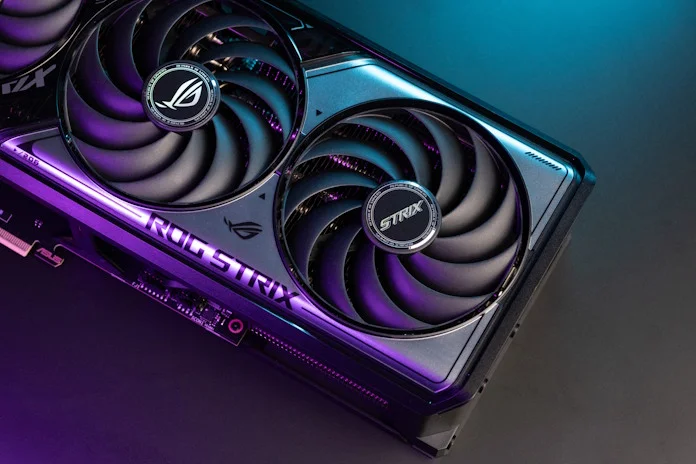
That said, there’s another approach to meeting these memory requirements, and that’s through a machine with a large pool of unified memory that the processor and the accelerator share. A mini PC with lots of memory can play that role, though a specialized system like the ASUS Ascent GX10 offers faster local AI performance than a standard Windows 11 mini PC, even one with a comparably-sized pool of RAM.
There’s a real exception: small models and routine work can run on processor-only hardware, and that’s enough for a lot of personal AI. The rule of thumb is to buy for the model you’ll actually run, not the biggest one you’ve ever seen advertised.
What specs do I need?
Two numbers decide most of it:
- The memory the model runs in. VRAM on a card, or unified memory, a shared pool between the processor and the accelerator. This sets your model ceiling. A 32B model wants to live in 24-48 GB. A 70B model wants 64 GB and up.
- System RAM for everything else. The work the agent is doing, the context it’s holding, the rest of the machine: all of it draws from here.
We’ve written the full version of this, including the table of model sizes behind each memory number, in our guide to the specs you actually need for local AI.
What software do I need to run agents?
To experience the true marathon capabilities of an agent computer, you’ll want to choose an open-source framework that matches your style of work.
- The On-Call Specialist: If you want to have an AI model that’s mostly there respond to questions and complete tasks as needed using your local files as a resource, tools like Ollama and standard LM Studio make it incredibly easy to load up a model of your choice and start chatting. While not strictly agentic, this framework gives you the fastest on-ramp to having the power of local AI at your fingertips.
- The Active Co-Worker: If you want an interactive desktop partner to crush immediate, multi-step projects right now, tools like LM Studio Bionic use agents to get things done within strict, controllable guardrails. You’ll get a secure local sandbox for your agents to play in. You specify a complex goal, and the harness will plan, write code, self-evaluate its own output, and edit files right in front of you during your active session.
- The Night Shift Worker: If you want to leverage that 24/7 autonomous background automation to execute tasks overnight, versatile frameworks like Hermes Agent are built for the long haul. By connecting Hermes to a local model endpoint, you can orchestrate natural-language cron jobs that run silently in the background while you sleep. The agents can scrape data, monitor files, and queue pipelines without requiring a human in the loop.
How much does one cost?
Agent computers take many forms, and the current memory shortage means that prices for PCs and PC components are a moving target in 2026. Here are the realistic investment levels you can expect across different tiers.
A foundational agent computer with a 16GB VRAM GPU and 32GB of system memory can be yours for less than $2000. You can build or buy this setup as a mid-tier desktop PC, or you can grab a gaming laptop with comparable hardware.

Upgrading your agent computer to support larger, more complex models will add to the overall price tag, but it’ll also unlock vastly expanded capabilities. A high-VRAM graphics card like the ASUS UGen Intel Arc Pro B70 32GB or ASUS Turbo Radeon AI PRO R9700 will get you there. The highest-end consumer graphics card from the NVIDIA RTX 50 Series lineup is your premium pick in this category, but it’s also in high demand.

Specialized mini-PCs built specifically for agentic AI workloads offer another compelling route. The ASUS Ascent QN10, powered by the Snapdragon X2 Elite platform with an 80 TOPS Hexagon NPU and 32GB of LPDDR5X memory, is available for $1,699 (USD) as of October 2026. For higher compute requirements, the ASUS Ascent GX10 integrates the NVIDIA GB10 Grace Blackwell Superchip. Available with either 64GB or 128GB of coherent unified memory and running the NIVIDA DGX OS, it supports highly advanced models and brings petaflop-scale AI computing capabilities right onto your desk. Prices for this system start at $5,999.00 (USD).

One more mini PC option. The ProArt GR1X Mini PC is coming soon, and it’s equipped with up to 128GB of unified memory and kicks into a higher gear with the advanced power of the NVIDIA RTX Spark Superchip. As a Windows 11 PC, it’s an easy choice for people who’d prefer to stick with a familiar and flexible operating system.
Finally, we’ll note that workstation-class hardware is available for your agent computer needs, as well. The ExpertCenter Pro ET900N G3 is a deskside AI supercomputer built on NVIDIA DGX Station architecture featuring the GB300 Grace Blackwell Ultra Superchip and 748GB of coherent memory. While it requires a significantly larger investment than compact mini-PCs, it delivers up to 20 petaFLOPS of AI performance in a single deskside footprint for organization-wide agent deployment.
Is an agent computer worth it?
Honest answer: it entirely depends on how you end up using your agent computer.
Let’s say that your agent computer lets you drop a costly monthly AI subscription, automates some time-consuming tasks, and allows you to freely explore the possibilities of agentic AI without hitting token limits or API rate caps. Such a machine could pay for itself in a year or two. Even after that point, you’re left with a versatile, high-performance PC. If your agent computer replaces work you previously performed by hand, the financial math looks even better, and the higher the value of your time, the more compelling it becomes.
If your organization handles proprietary IP, customer records, or regulated data that cannot be sent to third-party data centers, standard ROI calculations aren’t even necessary. The absolute requirement for data control and privacy is a major reason why local agent hardware exists in the first place.
All that said, cloud-based AI remains the right choice for many users. If you only need AI for quick, occasional questions, cloud services handle those needs effortlessly, and they don’t require upfront hardware costs. You may not even need a subscription for that. On the other end of the spectrum, researchers testing massive frontier models still rely on cloud infrastructure, as those models exceed the memory bounds of consumer hardware.
How do I get started?
To get started with your own agent computer, we recommend three steps.
First, set some goals for what you want to accomplish with your agent computer. What will you delegate first? If you’re not entirely sure how to answer this question, try having an open-ended conversation with Gemini or ChatGPT to find out what’s possible.
Second, pick the form. Are you looking for a space-saving yet powerful box? A full desktop PC that gives you more customization options? Are you shopping for an organization with the budget for a full-sized workstation?

Finally, head over to our agent computer landing page. There, we break down agent computers by usage scenarios and help you find the hardware best suited for your needs.